About Car Smash Simulator: Crash & Tune
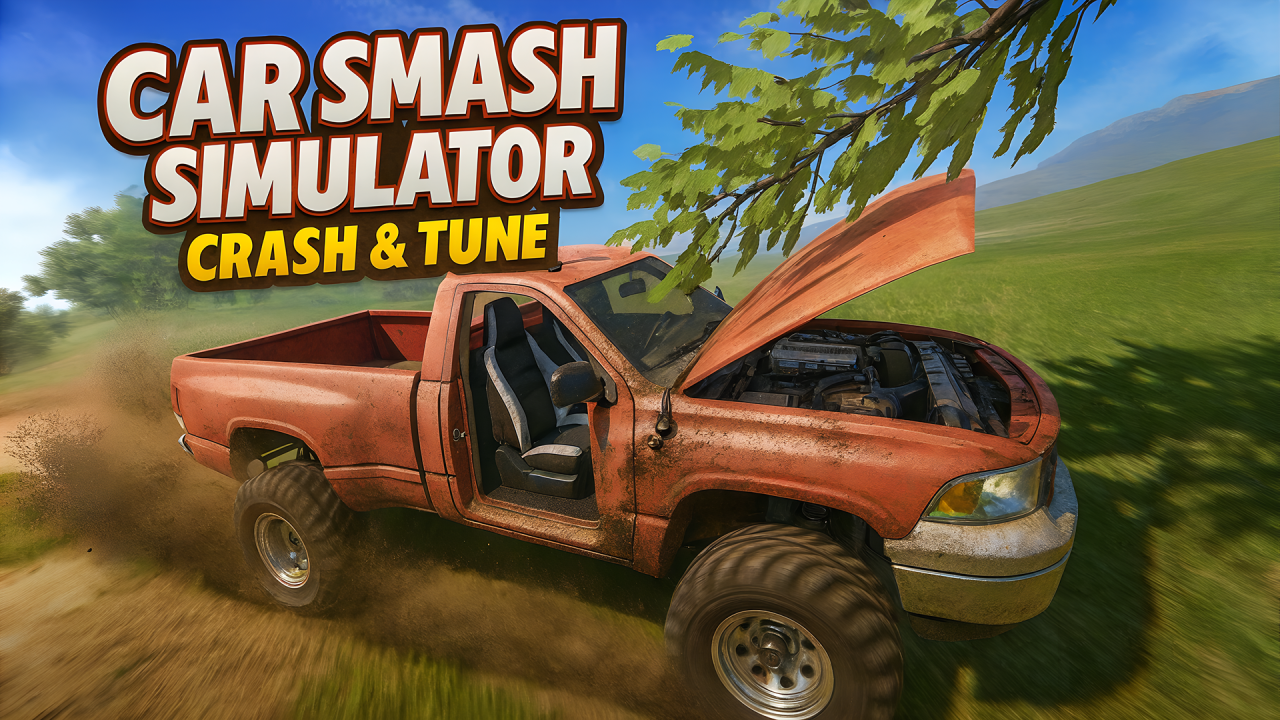
Car Smash Simulator: Crash & Tune is a driving sandbox built around three connected activities: exploring an open map, testing vehicles against destructive machinery, and customizing bodywork and wheels. There is no need to follow a racing line. You can roam, choose a ramp or crushing device, examine the resulting damage, repair the vehicle, and try a different approach.
Start with Play, then choose a map
The opening Play button leads to map selection before the car appears on the ground. In our short check, choosing the open terrain brought up a white car beside other vehicles and stunt structures. W moved it forward, A turned it, and C switched to a wider view. That wider camera is useful for judging the approach to a ramp: choose your view before building speed, rather than changing it halfway through a landing.
Exploring the Driving Sandbox
Begin by learning how the current car accelerates, turns, and stops in open space. A short practice run makes it easier to judge the distance needed before a jump. Use the camera control when an obstacle blocks your view, and flip the vehicle if a landing leaves it on its roof or side.
The map contains large ramps, hammers, hydraulic crushers, and other zones designed to affect the vehicle. Approach each machine slowly the first time so you understand its movement. Once the timing is clear, back away, build speed, and choose the angle that sends the car through the active area rather than clipping its edge.
How Vehicle Damage Changes a Run
Impacts can bend bodywork and separate visible parts such as doors, hoods, or wheels. Watch what happens after the first collision before immediately pressing repair. A car that still drives can be taken into another obstacle, while heavy wheel damage may make steering too unpredictable for a precise ramp attempt.
Car Smash Simulator: Crash & Tune includes a repair command, so damage does not have to end the experiment. Compare two attempts under similar conditions: use the same vehicle, approach from the same direction, and change only speed or impact angle. Slow motion is particularly useful when you want to see how a landing or crusher contact unfolds.
Tuning Bodywork and Wheels
The tuning options include full-body color, individual-part colors, wheel size, ride height, and camber. Start with one change at a time. Larger wheels or a different height alter the visual profile, while color adjustments make it easier to recognize a favorite setup when switching between available cars.
Tuning is part of the sandbox rather than a guaranteed performance upgrade. If you want to compare setups, repeat the same route and observe turning, clearance, and landing behavior. Car Smash Simulator: Crash & Tune is clearer when customization supports a specific test instead of changing every option at once.
Driving on a phone
Mobile play uses the game’s on-screen buttons instead of keyboard shortcuts. This is a landscape game, so turn the phone sideways to give the road and controls more room. Practise accelerating and steering in open space before approaching machinery. Learn one action at a time; a narrow view makes an early, straight approach more useful than a late swipe across the screen.
Building a Useful Crash Challenge
Choose one target, such as clearing a mega ramp, entering a crusher cleanly, or landing with the wheels down. Make an initial attempt at normal speed. Then adjust the approach: use nitro later, apply the handbrake before impact, or select another camera. Repair between controlled attempts when you want a fair comparison.
Game Information
Car Smash Simulator: Crash & Tune was developed by Ufa102. It is a single-player landscape game for desktop, Android, and iOS, with an English interface. The current listing records a September 2025 release and an August 2026 update. No in-game purchases are listed.
The Racing Games collection includes other ways to use the same driving skills. If lining up ramps appeals more than inspecting crash damage, MR RACER Stunt Mania turns that preparation into a race against other cars. For this sandbox, keep one clear experiment in mind: pick the obstacle, make a run, repair and change one variable.
For another place to put a vehicle through a rough landing, try Realistic Car Crash King. Its map selection leads to a broad test area where you can choose a ramp, attempt an impact and use the repair or next-car shortcuts between runs.