About Realistic Car Crash King
Realistic Car Crash King is a driving sandbox built for testing what happens when a vehicle meets a ramp, obstacle, or bad landing. The opening crash area starts with a car in a broad field of striped barriers, short ramps, slopes and raised lanes, so there is no single race line to memorise. The useful first move is to pick one obstacle, build a little speed, and watch how the car responds before trying a larger jump.
Press Play, then choose a map card. The grassy test map gives you open ground beside the ramps. Start there if you want space to line up the car before committing to a jump. Open the pause menu when you need to restart the run or return to the main menu.
Use the crash area as a test track
This is less about finishing first and more about setting up a result you want to see. A shallow ramp gives you time to correct the car; a steeper approach makes the landing harder to recover. After a completed crash, the live control overlay still offers a repair option and a next-car shortcut, so you can either continue with the damaged vehicle or change the experiment. That makes short sessions easy: test one route, reset your idea, then try a different obstacle or vehicle.
How to get a cleaner first run
Begin on the open grass or road edge instead of aiming immediately at the busiest ramps. Use W/A/S/D to line up a single barrier and avoid turning at the last second. If the vehicle stops being useful after an impact, repair it with F rather than trying to drive a badly damaged car back into position. The T jump prompt can help when a ramp or uneven surface leaves you stuck, while Space is there for a sharper handbrake stop.
From one wreck to another kind of crash test
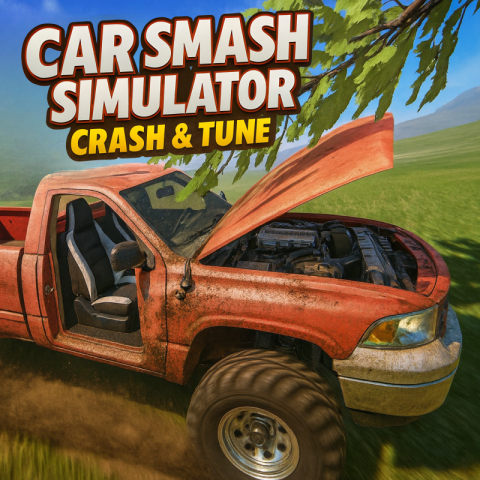
If you enjoy choosing your own impact but want a more compact vehicle-destruction challenge next, Car Smash Simulator: Crash & Tune is a strong follow-up. Realistic Car Crash King gives you a wide test area, ramps and quick vehicle changes; Car Smash Simulator: Crash & Tune focuses its play around smashing and tuning cars. Try it when you want the same crash-first idea with a different garage-and-damage rhythm.
Game information
Realistic Car Crash King supports desktop and mobile play in landscape. Its interface is available in English, German, Spanish, French, Italian and Russian, and the game listing discloses in-game purchases. The checked desktop session reached the live crash area, showed a vehicle with visible impact damage, and exposed repair, next-car, pause and jump prompts. Explore more vehicle challenges in Racing Games.